What's coming in KeptMiles 1.3.0: a complete tracking overhaul
The biggest under-the-hood change since launch. KeptMiles 1.3.0 completely rewrites how background tracking works, and adds optional Bluetooth vehicle detection.
Last month I wrote about why Android phones keep killing mileage trackers in the background. The short version: your phone sees a tracking app running all day and decides it's draining your battery, so it kills it. The problem isn't the mileage app. The problem is the architecture that requires it to run 24/7 in the first place.
KeptMiles 1.3.0 fixes that.
The old way (and why phones hated it)
Every version of KeptMiles until now ran a persistent foreground service. That green notification in your tray? It was there all the time, from the moment you enabled tracking until you turned it off. Even when you were sat at your desk. Even overnight. Even on a Sunday.
From Android's perspective, the app was awake 24 hours a day. That's a red flag for battery managers. Samsung's Device Care, Xiaomi's Battery Saver, OnePlus's battery optimisation, they all do the same thing: see a service running constantly, assume it's misbehaving, kill it. The app looked dead. Journeys went unrecorded. Users assumed tracking was broken.
It wasn't broken. It had been murdered by the phone.
The dontkillmyapp.com project tracks how aggressively each manufacturer does this. Samsung and Xiaomi are the worst offenders, but nobody's hands are entirely clean. Even stock Android on Pixel phones has become more aggressive in recent versions.
To fight back, we built recovery systems. Health checks every two hours via AlarmManager. A watchdog worker that detects when the service has been killed and restarts it. Silent FCM pings from our server to wake the app if everything else fails. Manufacturer-specific recovery guides telling you which obscure battery setting to change on your particular phone. All of that helped. The kill rate dropped. But we were treating the symptom. The real question was: why does the app need to run all day when you only drive for an hour of it?
The new way: dormant until you drive
In v1.3.0, KeptMiles doesn't run a background service at all when you're not driving. No notification. No battery drain. Nothing for your phone's battery manager to find and kill.
Instead, the app registers with Android's Activity Recognition system independently of any running service. Activity Recognition is part of Google Play Services. It uses your phone's accelerometer and other motion sensors to detect what you're doing (walking, cycling, driving, sitting still) without any app needing to stay awake. It runs at the operating system level, costs almost nothing in battery, and OEMs don't interfere with it because it's a Google Play Services component, not a third-party app.
When Activity Recognition detects you're in a vehicle, it sends a broadcast to KeptMiles. The app starts a foreground service, begins GPS tracking, and records the journey. When the journey ends (you stop moving, get out of the car, the GPS signal goes still), the service stops itself. Done.
The notification only appears while you're actually driving. The rest of the time, there's nothing running. Nothing for Samsung to kill. Nothing for Xiaomi to "optimise." Your phone doesn't even know KeptMiles exists until you start moving.
The recovery layers still exist (the watchdog, the health alarms, the boot receiver, the FCM pings). But their job is different now. Instead of trying to keep a persistent service alive against a phone that wants it dead, they just verify that Activity Recognition is still registered. That's a much simpler, much more reliable check. If AR gets deregistered for some reason (an app update, a force-stop, a device restart where the boot receiver didn't fire), the recovery system re-registers it. That's it.
What this means for you
Fewer "tracking stopped" warnings. Probably zero of them. The recovery system alerts you when it detects the tracking service has been killed. If the service isn't running in the first place, there's nothing to kill. Those red banners and recovery notifications should become a thing of the past for most users.
Better battery life. A foreground service that runs for 30 minutes during your morning commute and 30 minutes driving home is a fraction of the battery cost of one that runs for 24 hours. On my test phone (a Samsung Galaxy Z Fold 7), battery drain from KeptMiles dropped from around 4-6% per day to effectively unmeasurable. It doesn't even show up in the battery stats screen any more.
No notification sitting in your tray all day. You'll see it when you're driving, and only when you're driving. For people who found the persistent notification annoying (and I've had that feedback more than once), this is the fix.
On Samsung devices in particular, this should stop Device Care from putting KeptMiles to sleep. Device Care targets apps that run persistently in the background. An app that only runs for the duration of a car journey doesn't trigger that logic. You shouldn't need to add KeptMiles to the "never sleeping apps" list any more, though it won't hurt if you leave it there.
Coming next: Bluetooth vehicle detection
Activity Recognition works well for most people. But some phones, particularly older Samsung Galaxy models and certain Xiaomi handsets, suppress AR transitions silently. The phone just stops reporting them. No error, no warning. Journeys go undetected and the user has no idea why.
We've seen this in our analytics. Devices where the app reports tracking_started but never fires a single journey_started event. The service is running, the GPS is ready, but Activity Recognition never says "you're driving." The phone swallowed the signal.
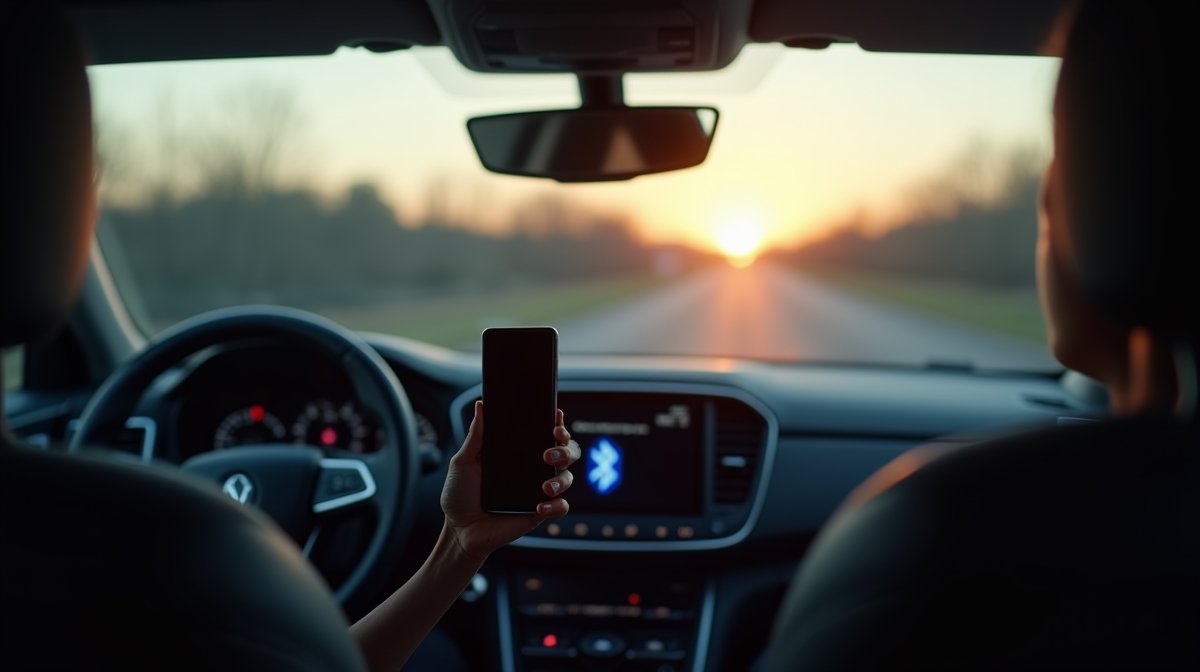
For those users, we're adding an optional Bluetooth trigger. The idea is simple: pair your car's Bluetooth audio system or hands-free kit with KeptMiles. When your phone connects to that Bluetooth device, KeptMiles knows you're in the car and starts tracking. When you disconnect (engine off, walk away from the car), it knows you've stopped.
You'll be able to choose how it works. Use Bluetooth alongside Activity Recognition for double-coverage, so either trigger can start a journey. Or use Bluetooth as the sole trigger if AR doesn't work reliably on your particular phone. The settings screen will let you pick your mode and manage which Bluetooth devices count as "vehicle" connections.
Bluetooth detection won't ship in the initial 1.3.0 release. It needs its own testing cycle, especially around edge cases (what happens if you connect to your car's Bluetooth but you're a passenger, not the driver? What if the Bluetooth connection drops momentarily at a traffic light?). It'll come in a follow-up update, probably 1.3.1 or 1.3.2, once the core tracking overhaul has been in production for a couple of weeks.
When can I get it?
v1.3.0 is in internal testing now. The tracking architecture change touches a lot of code, so I'm being careful with the rollout. Internal testing first, then a staged rollout on the Play Store starting at 10% of users, scaling up over a week or two if nothing catches fire.
If you're on the latest version and tracking has been reliable for you, the update should be invisible. Everything works the same way it always has, just with less battery drain and no persistent notification. You might not even notice anything changed.
If you've been fighting your phone to keep tracking alive, adding KeptMiles to battery exception lists, tapping through recovery screens, wondering why your Tuesday journeys disappeared, this is the update you've been waiting for.

KeptMiles tracks every business journey automatically so you never miss a mileage claim. The 1.3.0 update makes tracking more reliable than ever, with less battery drain and no persistent notification.