Real screenshots from KeptMiles v1.3.0, shown in dark mode at 1080×2400 portrait. Sample data used for demonstration.
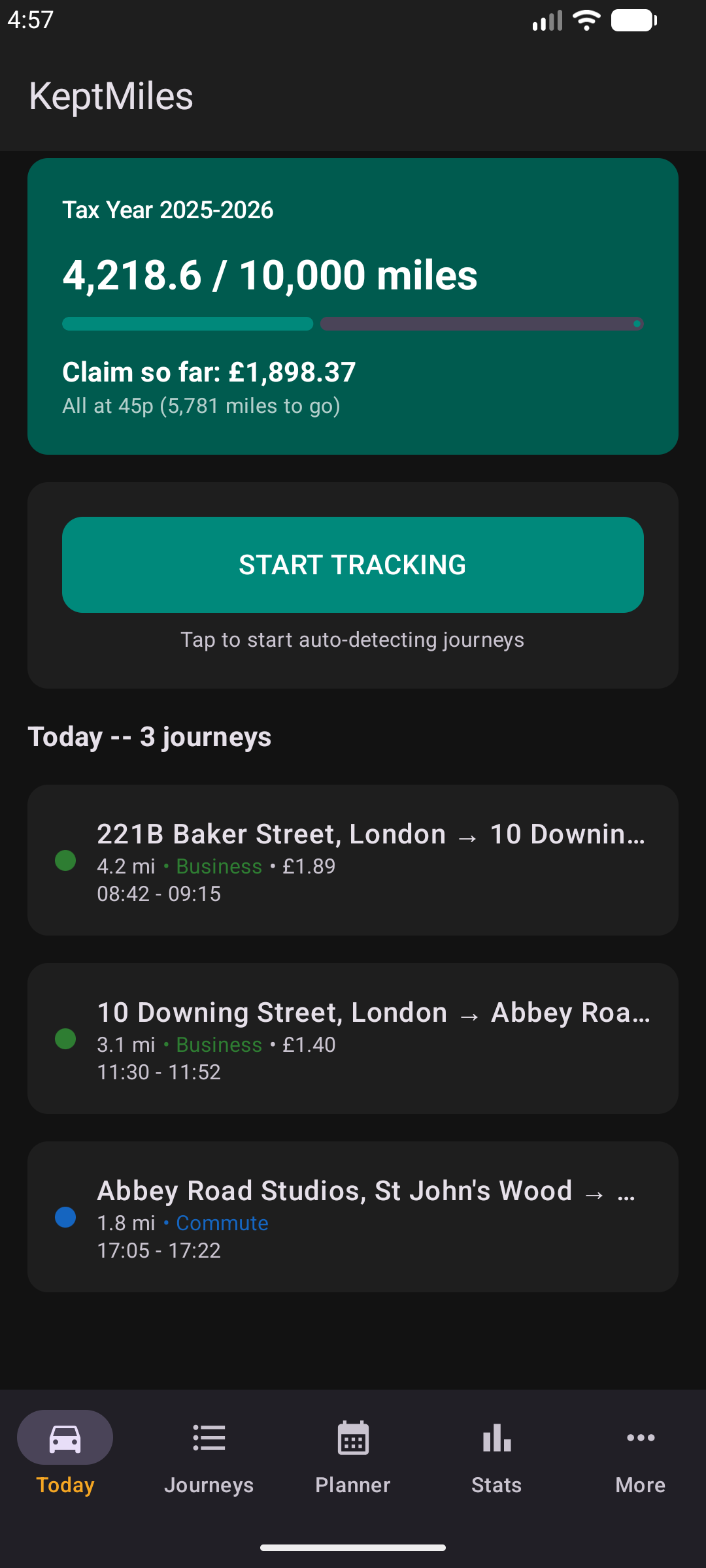
Today
Tax year progress, running claim total in pounds, and today’s journeys at the top of every session.
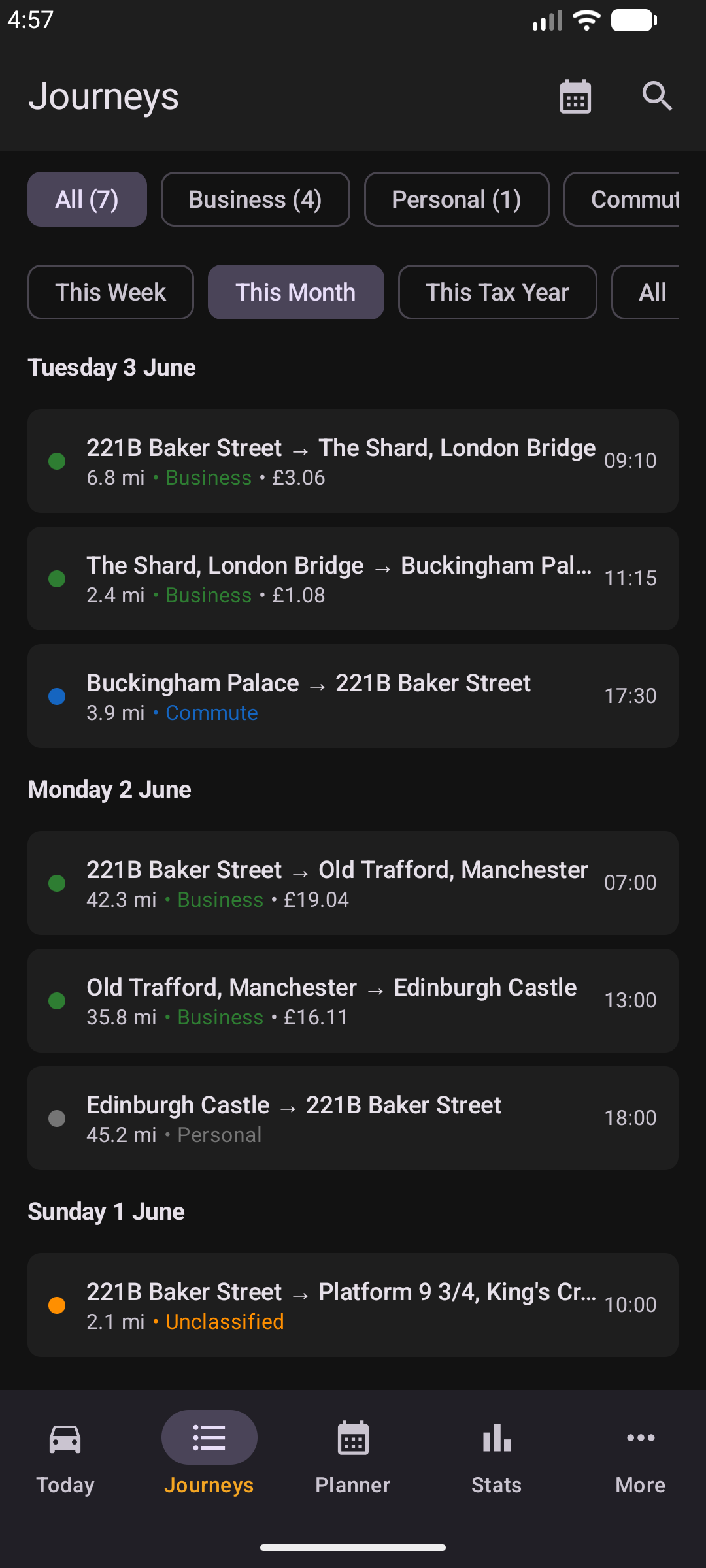
Journeys
Filter by classification, switch between This Week, This Month, This Tax Year and All, search by address or purpose.
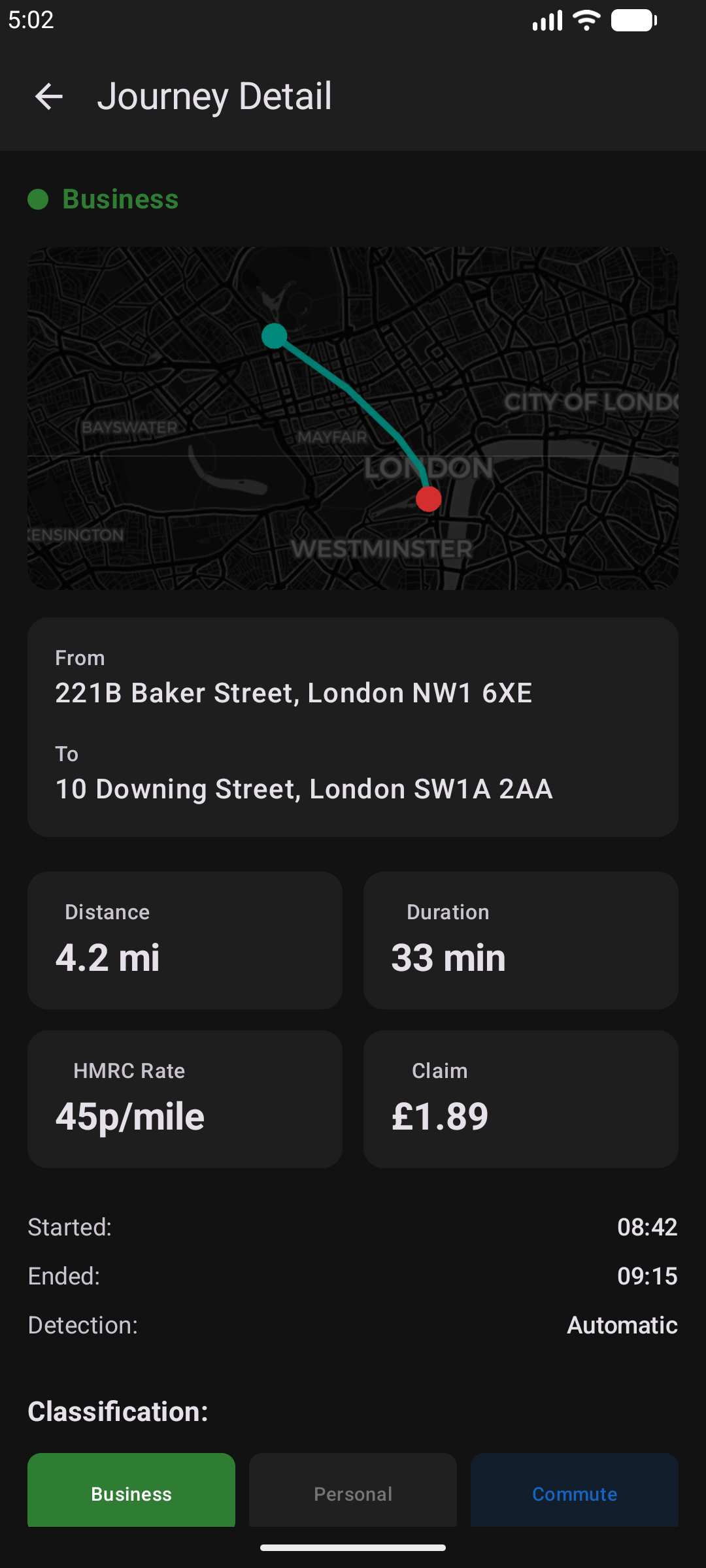
Journey detail
From and To addresses, distance, duration, HMRC rate and claim amount, with one-tap classification.
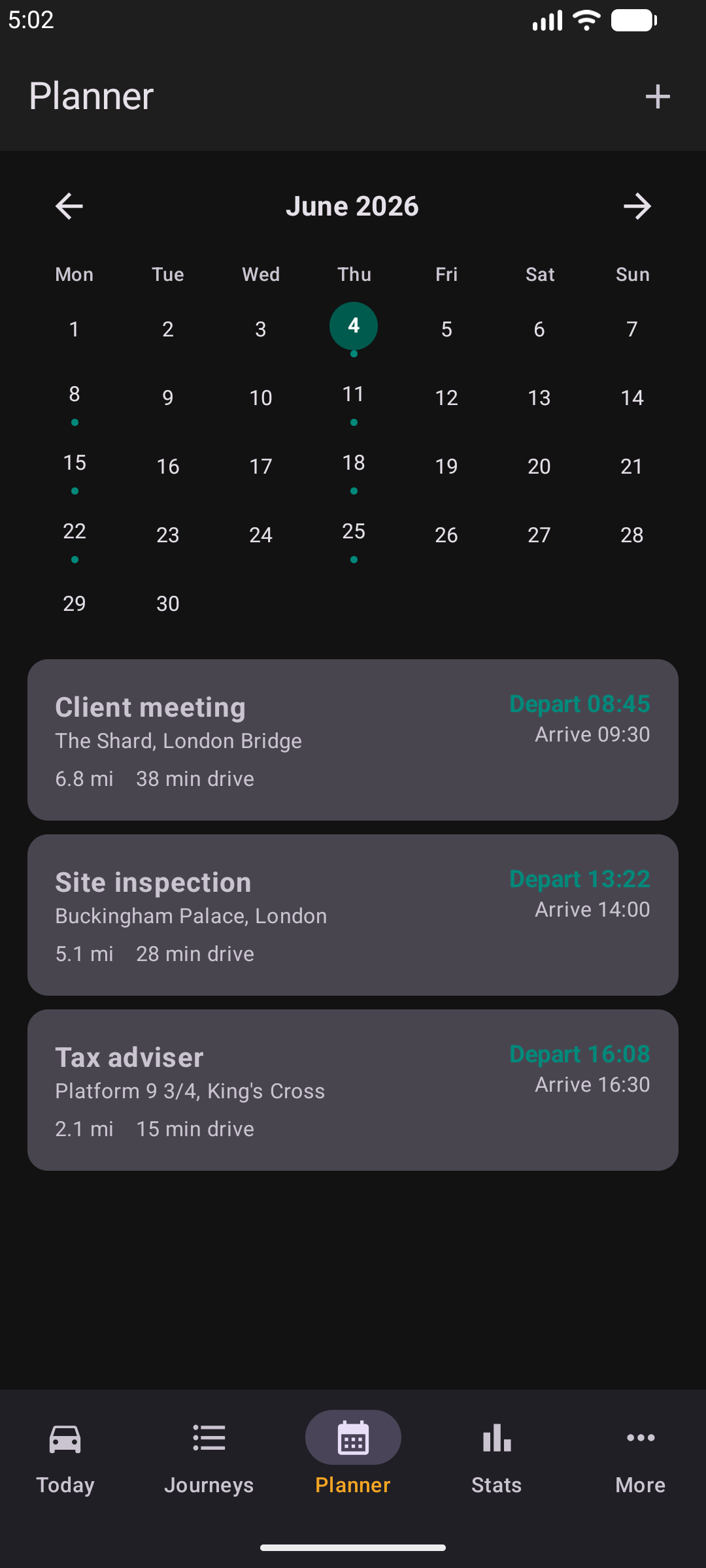
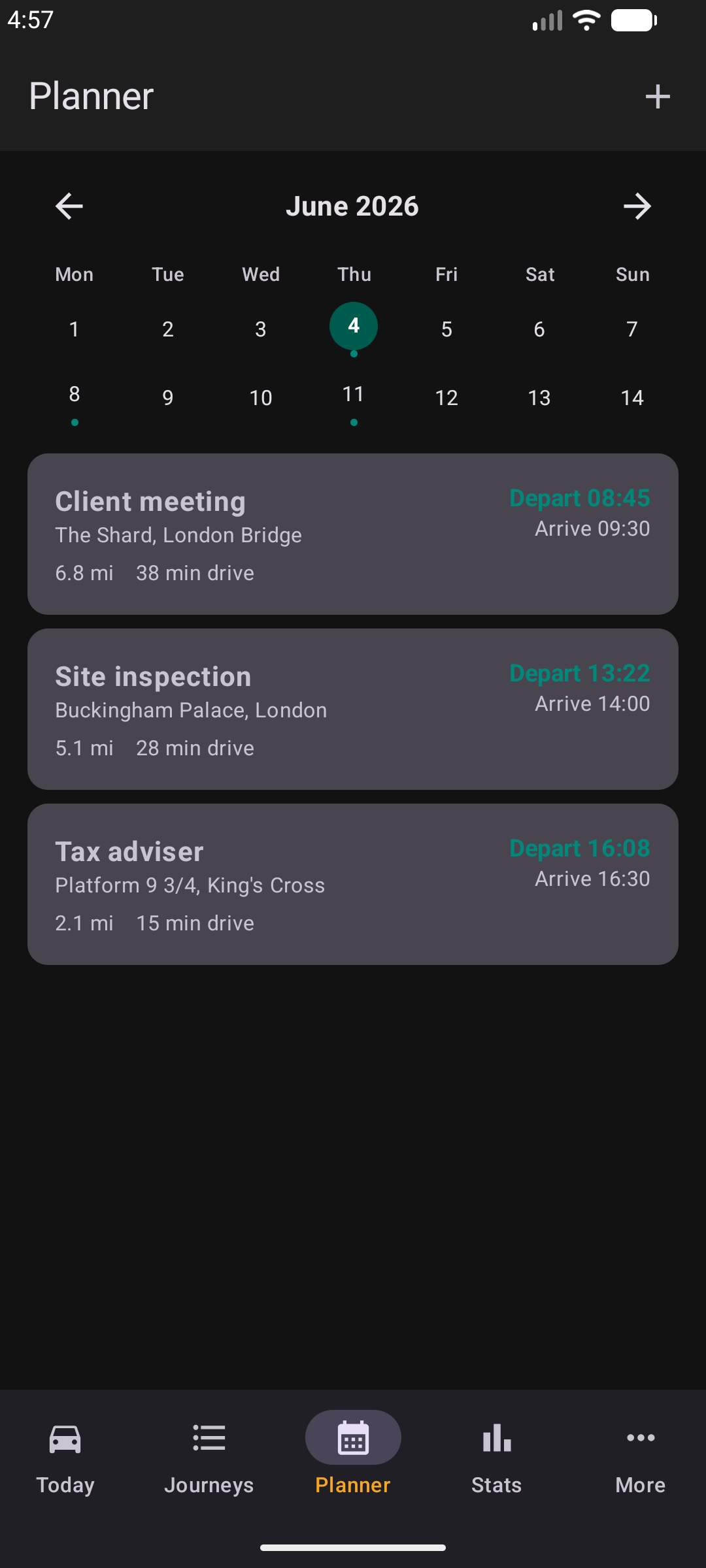
Journey Planner
Plan business trips with arrival times and KeptMiles calculates when to leave based on live driving time from your current location.
Statistics
Tax year totals, monthly miles chart, year-end claim projection, and one-tap PDF and CSV export for your accountant or self-assessment.
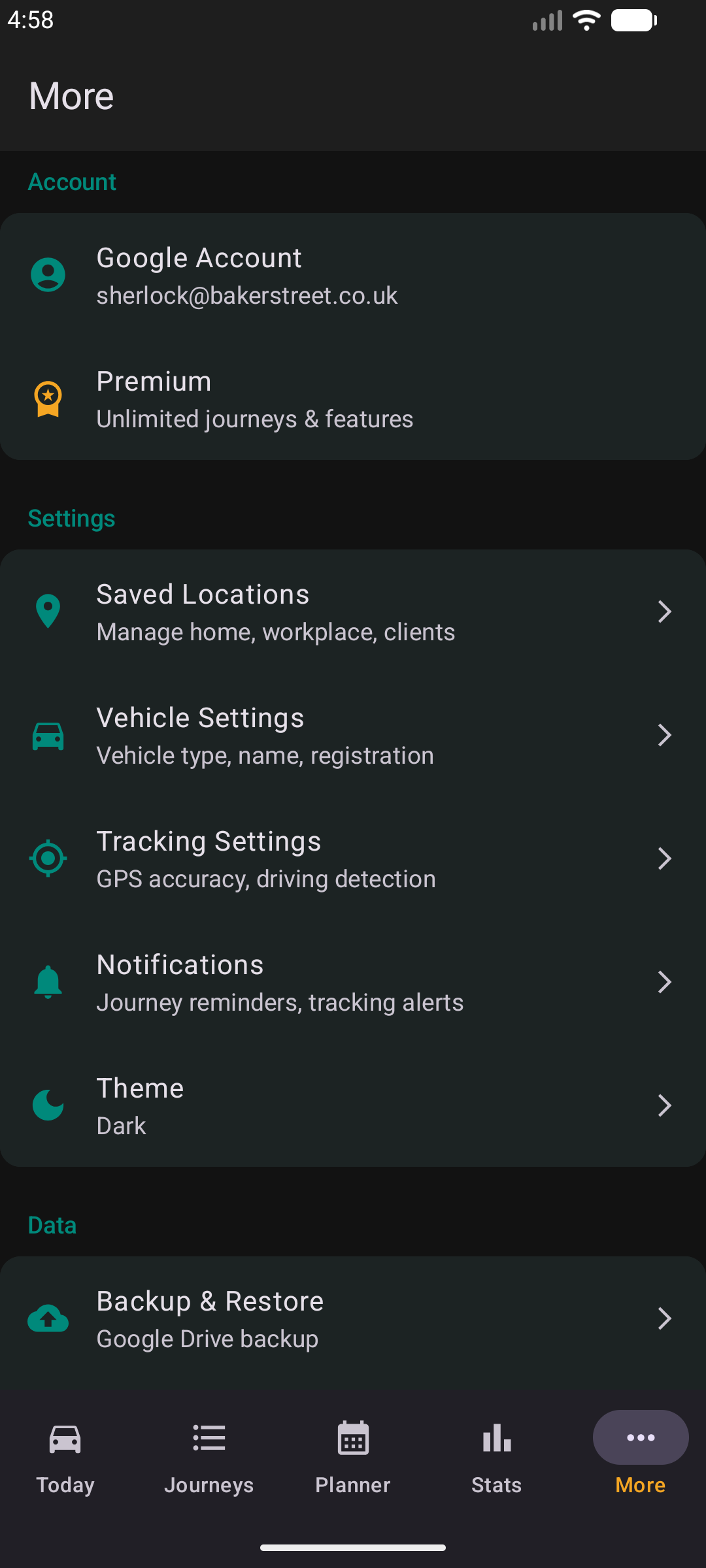
More
Google account link, Premium status, saved locations, vehicle and tracking settings, backup, notifications, and theme.
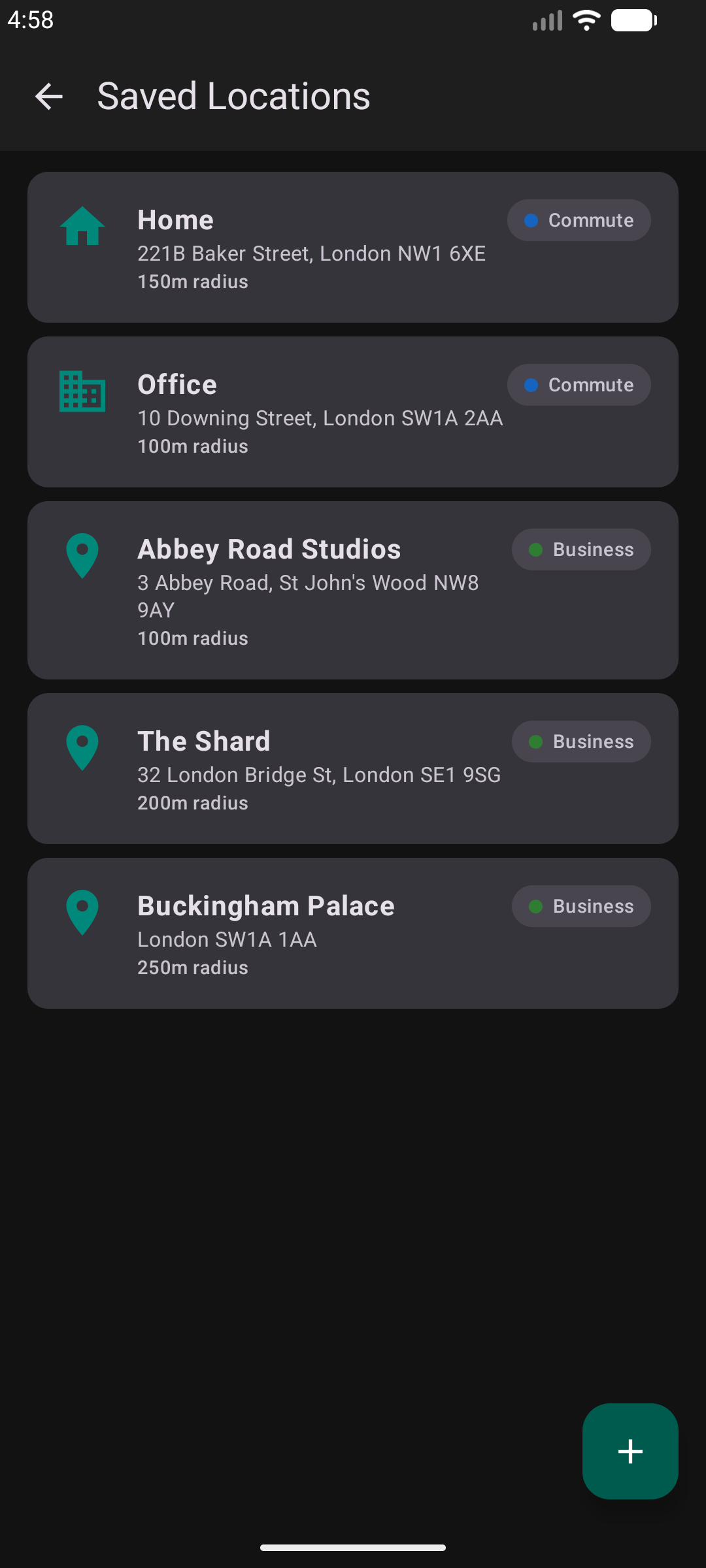
Saved Locations
Mark home, workplace, and regular clients once — KeptMiles auto-classifies journeys to and from those places as personal, commute, or business.
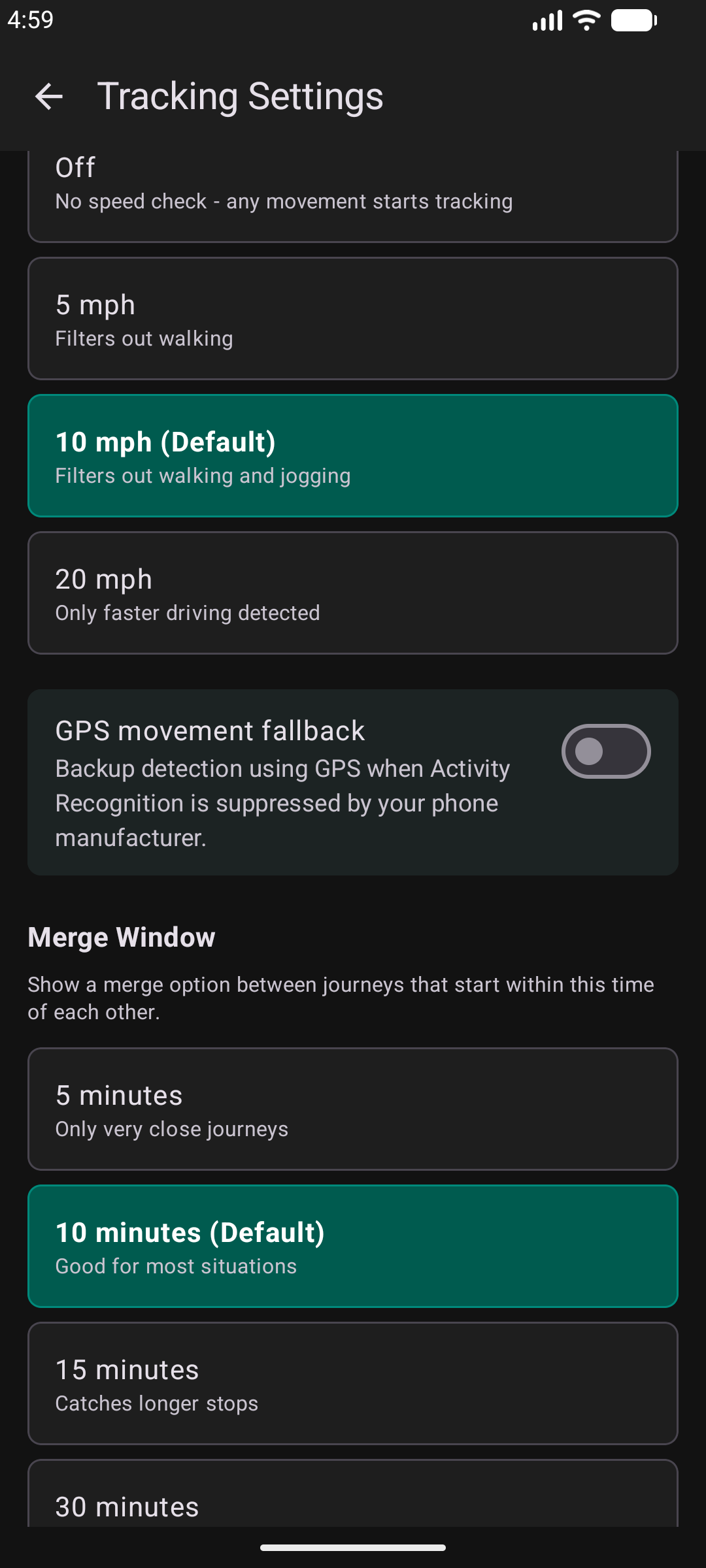
Tracking Settings
Fine-tune driving detection sensitivity, set a minimum speed to avoid false starts from walking, and configure GPS fallback thresholds.
Try it for yourself
KeptMiles is free to download. Track your business mileage automatically and claim back what HMRC owes you.